Email Templates
In this article
Editing Email Templates
To access email template customisation, navigate to the Settings icon in the navigation bar and select Emails.
At the top of the page, there are configuration options for how emails are sent. These allow you to send emails from your own email account or your own domain. See Sending Emails From Your Own Address or Domain for more details about this.
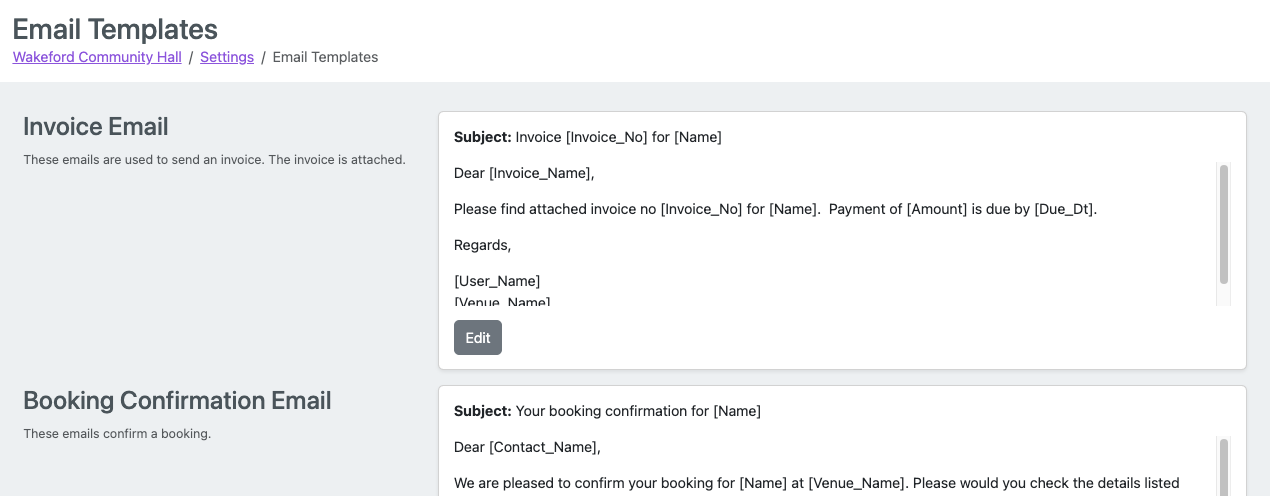
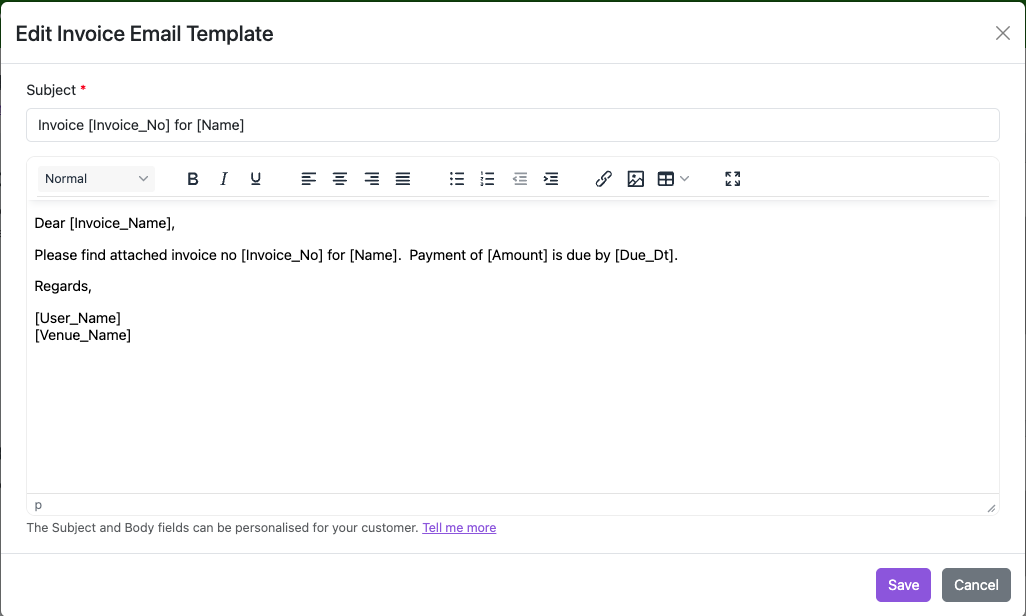
Below the email configuration options, each email template appears as a card with an Edit button that opens an editor for subject lines and message body content.
The editor supports text formatting including tables, links, and images (though large image files should be minimised to prevent delivery issues). Field codes can be inserted to personalise messages dynamically.
Email Template Types
The system offers ten customisable email templates:
Invoice Email: Includes PDF attachment when emailing invoices to customers
Booking Confirmation Email: Confirms booking details
Booking Change Email: Notifies customers of booking modifications
Booking Cancellation Email: Confirms cancellation requests
Provisional Booking Email: Announces tentative bookings
Booking Reminder Email (Confirmed Bookings): Pre-booking reminder (requires Calendar Settings configuration). See Booking Reminder Emails.
Booking Reminder Email (Provisional Bookings): Reminder for unconfirmed bookings. See Booking Reminder Emails.
Booking Enquiry Received: Auto-sent acknowledgement when customers submit enquiries
Booking Enquiry Decline Email: Sent when declining enquiries
Change Prices Email: Notifies customers of price modifications
Field Codes Reference
General Codes (All Templates)
Code | Purpose |
|---|---|
| Customer name |
| Contact person's name |
| Invoice recipient's name (varies based on your invoicing settings) |
| Sender's name |
| Venue name |
Invoice Codes (Invoice Emails Only)
Code | Purpose |
|---|---|
| Invoice date |
| Invoice number |
| Payment due date |
| Total amount with currency |
| Total amount without currency symbol |
| Online invoice page link |
| "Pay by Card" hyperlink |
Booking Codes (Booking-Related Templates)
Code | Purpose |
|---|---|
| Booking title |
| Date or repeat pattern |
| Start time |
| End time |
| Booked rooms (comma-separated) |
| Booked extras (comma-separated) |
| Booking details field |
| Booking cost |
| Summary table of booking information |
| Clickable confirmation button |
| Clickable cancellation button |
| URL for confirming provisional bookings |
| URL for cancelling bookings |
Booking Enquiry Codes
Code | Purpose |
|---|---|
| Enquiry submitter's name |
| Enquiry submitter's name (same as |
| Contact person's name |
| Booking name or purpose |
| Booking purpose |
| Requested date |
| Requested start time |
| Requested end time |
| Requested rooms |
| Requested extras |
| Enquiry details |
| Additional customer information |
| Enquiry summary table |
Change Prices Codes
Code | Purpose |
|---|---|
| Price list name |
| Effective date for new prices |
| Table displaying new prices |
Booking Summary Table Examples
The [BookingsTable] code generates different table formats depending on booking type:
Single Booking Format:
Booking Name
Date/Time
Rooms
Extras
Price
Repeat Booking Format: Shows booking name and repeat pattern followed by individual booking details table with columns for Date/Time, Rooms, Extras, and Price.
Repeat Booking Cancellation: Displays booking name and repeat pattern without individual booking details.
Booking Enquiry Format:
Customer Name
Purpose
Date
Times
Rooms Requested
Extras