Notification Settings
In this article
MyHallWizard can notify you about important events such as new booking enquiries, customer confirmations, email bounces, and Stripe payments. You can choose which notifications you receive and how you receive them.
Accessing Notification Settings
Click the Settings icon (gear/cog) in the navigation bar
Click Notification Settings
Notification Channels
For each notification type, you can choose to receive it via:
Email — sent to your registered email address
App — shown as an in-app notification (the bell icon in the navigation bar)
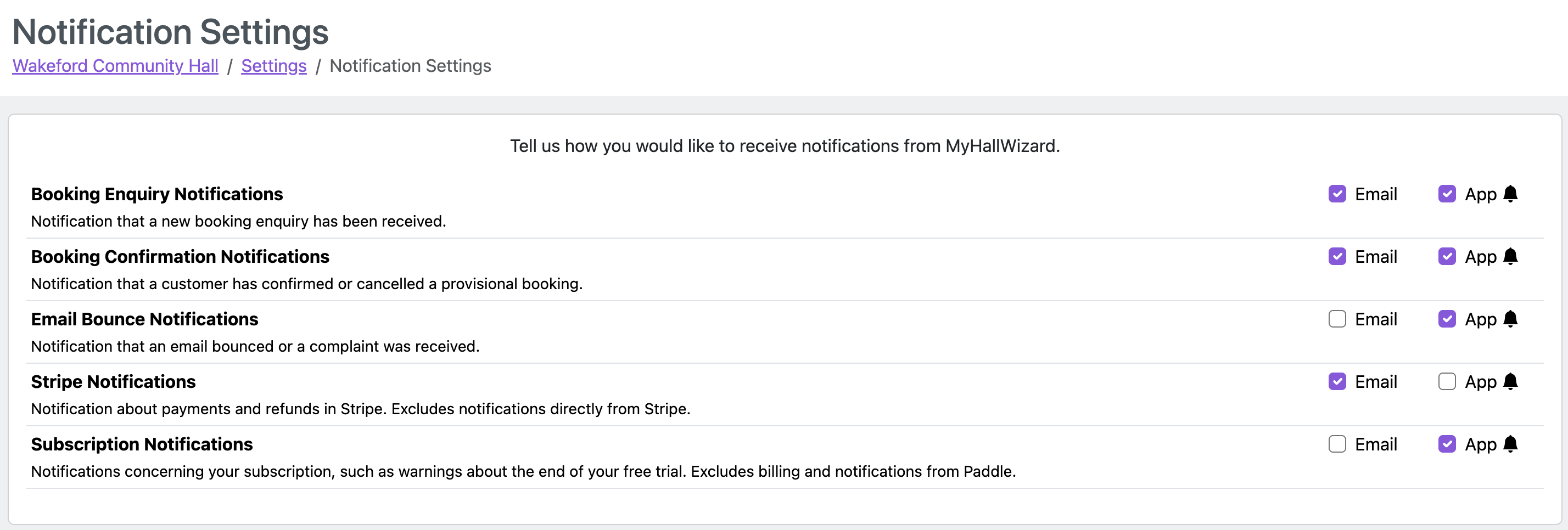
Notification Types
Notification | Description |
|---|---|
Booking Enquiry Notifications | A new booking enquiry has been received from the public form. |
Booking Confirmation Notifications | A customer has confirmed or cancelled a provisional booking (via their email link). |
Email Bounce Notifications | An email sent from MyHallWizard bounced or a complaint was received. |
Stripe Notifications | Notifications about Stripe payments, refunds, and disputes (if Stripe is set up). |
Subscription Notifications | Notifications about your subscription, such as free trial expiry warnings. |
Note: These settings control notifications sent to you. Emails sent to your customers (booking confirmations, invoices, etc.) are controlled separately via Email Templates