Calendar Settings
In this article
Calendar Settings allow you to decide what is the first day of the week displayed on the calendar, and also to set your venue's opening times. You can also set up your public calendar and enable booking requests for your customers.
To go to the Calendar Settings, click Settings in the navigation bar then click on Calendar Settings.
In the Calendar Settings screen, you can set up the first day of the week and your venue opening times. When you change these, don't forget to press Save Changes.
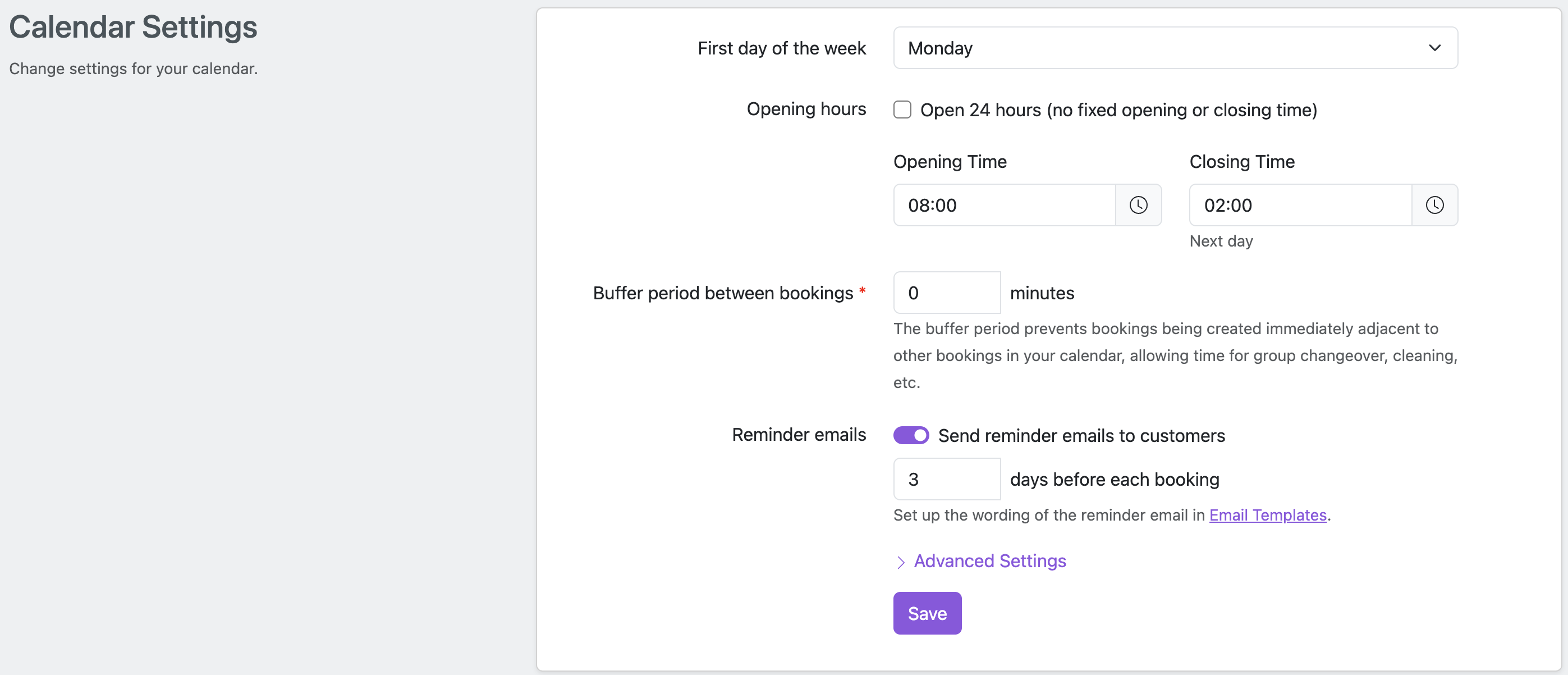
First day of the week
The first day of the week affects the display of calendars in week and month view, including date selectors in the various forms in MyHallWizard.
Usual venue opening times
The venue opening times default the display of the calendar in day and week views, and also restrict drop-down time selectors. If you have Booking Enquiries enabled, customers are only able to request bookings during the times when you are open.
If your venue opens through until the early hours of the following day, that's no problem, simply select the time that you close in the morning and MyHallWizard will take care of everything for you.
If you are open 24 hours a day, please tick the Open 24 Hours checkbox.
While venue opening times restrict the available times in the drop-down time selectors, they do not prevent you making bookings outside these hours. If you need to do so, simply click at the required time in the calendar to make the booking, or type the required time or end time directly into the fields. For example, if our venue normally closes at 22:00 but you want to accept a booking until 23:00, simply type "23:00" into the End Time field for the booking form.
Buffer period
A buffer period is a set period of time which must be kept free between bookings to allow for the orderly changeover of groups or for cleaning, etc. During the buffer period, a room is not available to be booked even though there will not be anyone recorded as using it within your calendar.
For example, if you define the buffer period as 30 minutes, and have a Pilates Class booked in a room between 9am and 10am, it is not possible to book the room after 8.30am or before 10.30am.
Existing bookings are not affected by any new buffer period you define, except if you edit them and change the room booked or the times of the booking.
Reminder Emails
Reminder emails can be configured to be sent to customers automatically a few days before their booking. See Booking Reminder Emails.
School terms, public holidays and calendar notes
MyHallWizard can make a repeat booking for school term time only, for the school holidays only, or with public holidays left out. You enter your local school term dates and public holidays once, and every repeat booking that uses them books the right days.
You can also add notes to your calendar, such as "Small Hall closed for renovation", and choose whether the public sees them.
This feature is disabled by default, and needs to be switched on if you want to use it. This is done in Settings > School Terms, Holidays & Notes. See School terms, public holidays and calendar notes for instructions.